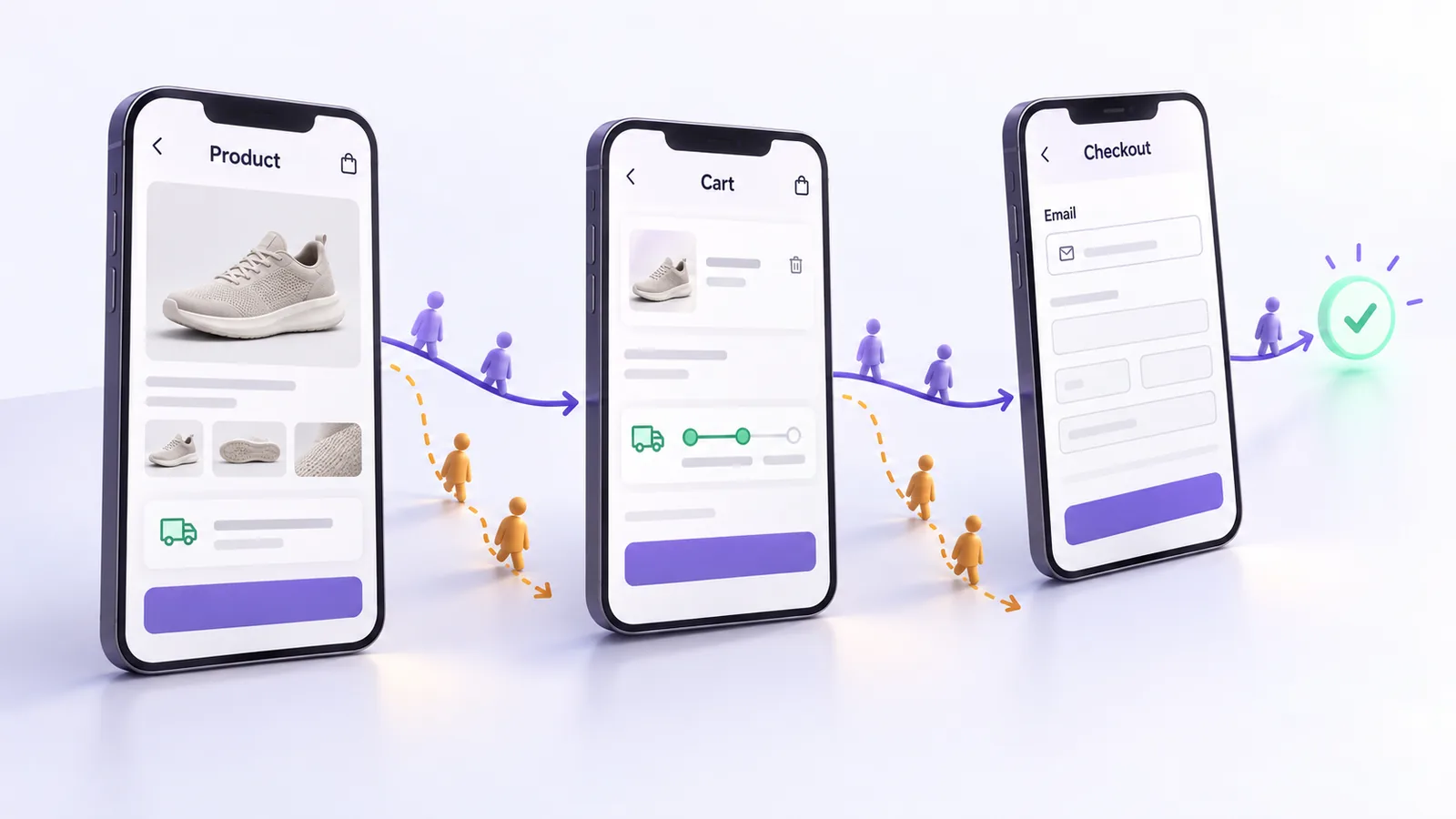
On September 23 I spoke at WordPress Meetup Bucharest, at ImpactHub, about a simple problem: a WooCommerce store does not lose money in one place, but along the whole customer journey, from the product page to the thank you page. The talk was called “From product to checkout: where WooCommerce stores lose money (+ live audit)". It followed that journey page by page, and at the end I ran a live audit on a real store chosen by an attendee.
Below I go through the main ideas so you can apply them without having been in the room. The full recording of the talk is here (in Romanian):
The event was organized by the WordPress Bucharest community. Details are on the event page (in Romanian).
Why we start from money, not design
The talk started from a funnel: out of 10,000 visitors, about 740 add a product to the cart and about 220 place an order, a conversion rate of 2.23%. The most expensive visitors are the ones who added a product to the cart and left, about 500 in our example. You have already paid for them, through advertising or SEO work. In the same data set, around 80% of traffic came from mobile, so every recommendation below should be checked on a phone first and on desktop second.
So we followed the customer journey in order and looked, at every step, for what is missing or what gets in the way. If you also want the technical speed side, see our guide on INP and Core Web Vitals in WooCommerce.
The product page
This is where the customer decides to stay or leave, often within a few seconds. What we recommended:
- Show delivery on the product page. Delivery cost and time are among the first questions a customer has. If they only find out at checkout, some of them give up there.
- A short description that convinces in 3 to 5 seconds. The description next to the “Add to cart" button should be short lists and clear benefits, not long paragraphs.
- Benefits at the top, next to the title. The reasons someone would buy the product should not sit below the fold.
- Authentic reviews. Fake ones are easy to spot. Do not delete negative reviews: reply to them and fix the problem in public. Also check that you have review schema markup, so stars can show up in Google.
- Recommendations chosen with care. By default WooCommerce recommends products from the same category, including products that are out of stock. Recommendations by attribute (same size, same material) and compatible accessories work better.
- An add to cart button always within reach on mobile, even while the customer scrolls the page.
Many of these problems also show up in page speed. If your store loads slowly, start with speed optimization.
The cart
The cart is where the customer does the math, so it should help them, not get in the way.
- A free shipping bar. The message “Add X more and get free shipping" works, but the threshold matters: set it 20 to 30% above your store's average order value, not based on what your competitors do.
- Automatic cart updates. Customers should not have to look for a button to update a quantity.
- Relevant product suggestions, not a generic list.
Checkout
This is where most money is lost, because the customer has already decided to buy and can only be lost because of the form.
- Email as the first field. If email is the third field and the customer leaves, you can no longer recover the abandoned cart. Moving it to the top is a change of a few minutes.
- Field order matters. Group fields logically and remove the ones you do not need to ship and invoice the order.
- Inline validation. The customer should learn right away that a field is wrong, not after pressing “Place order".
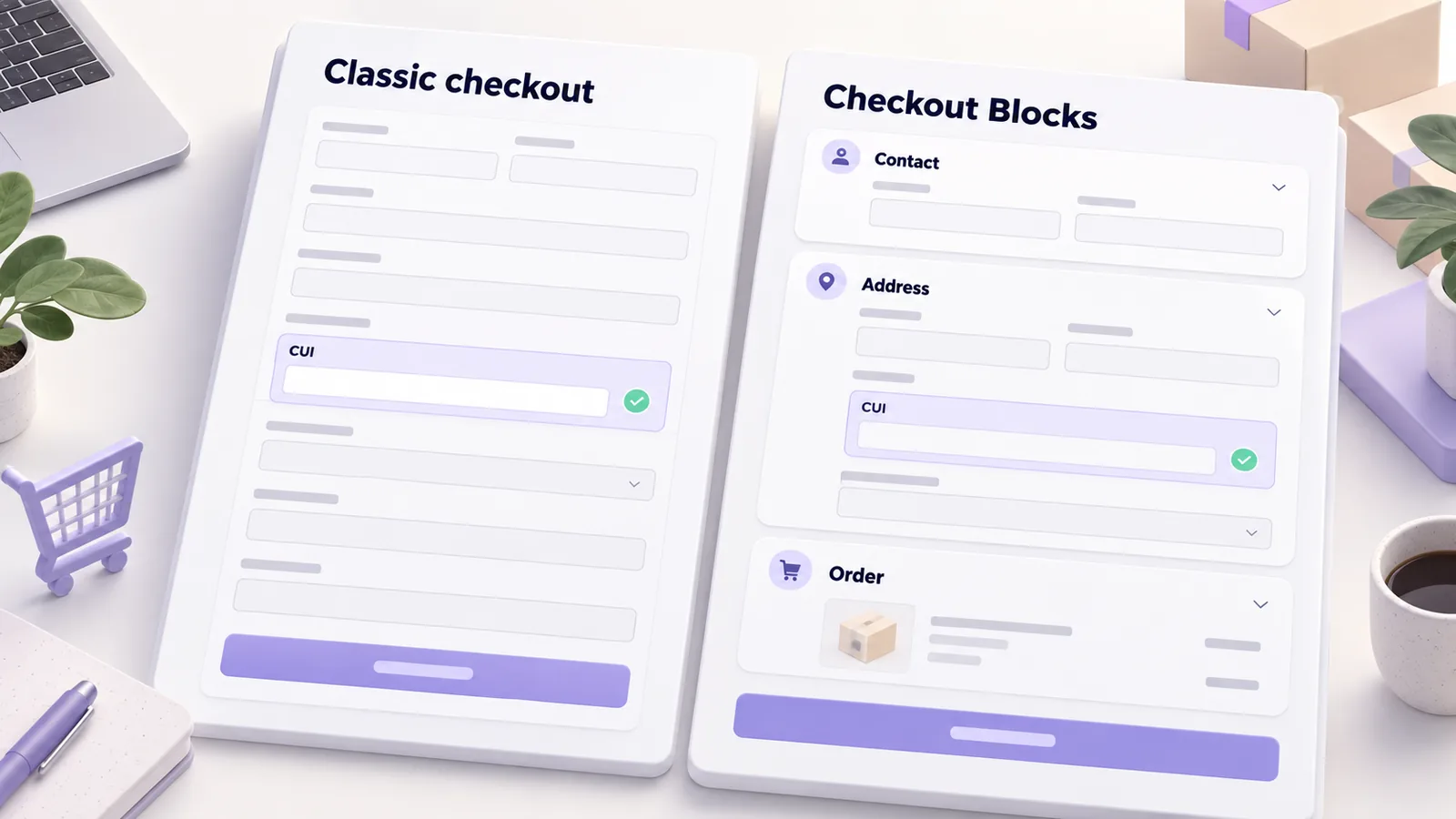
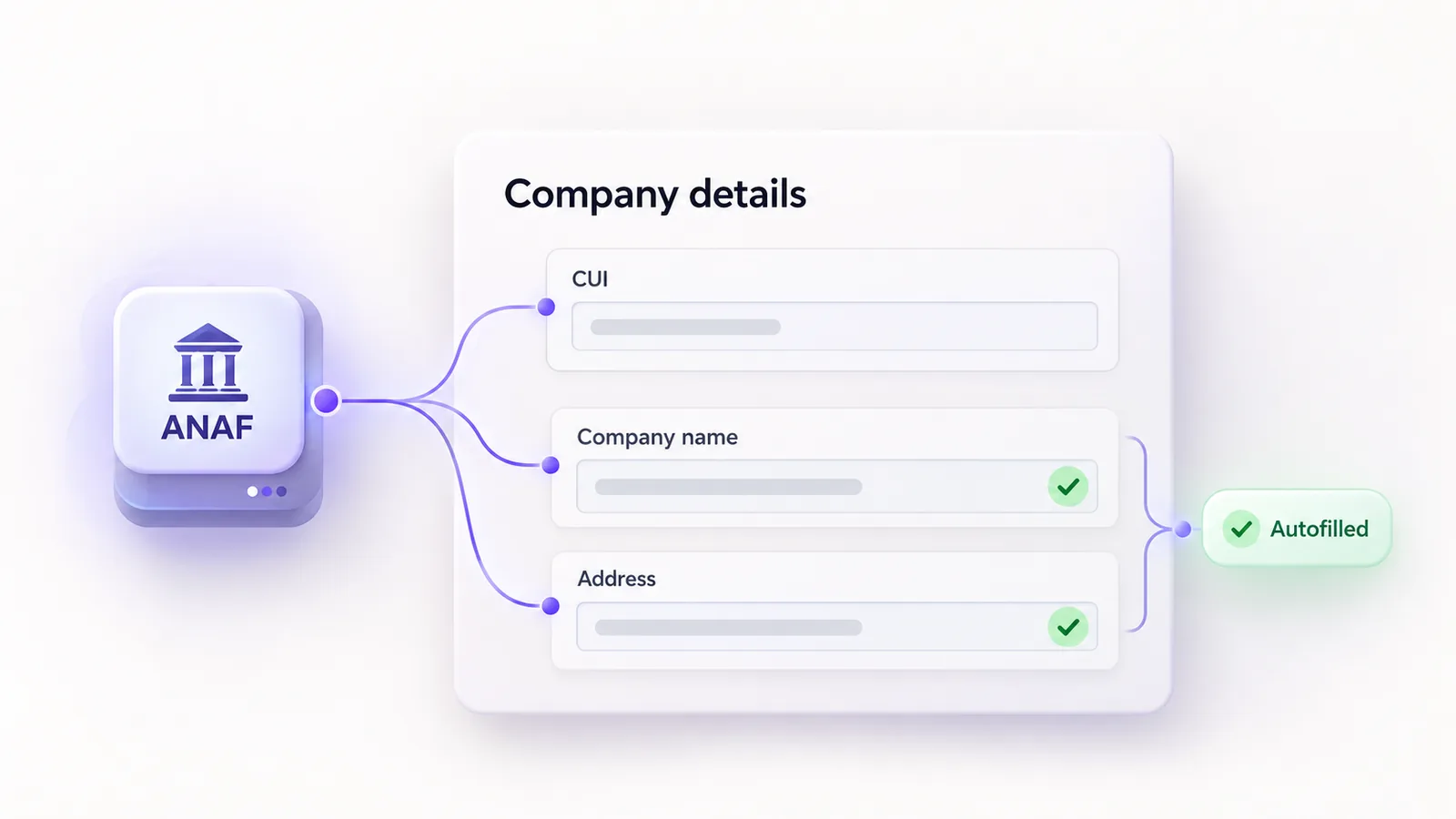
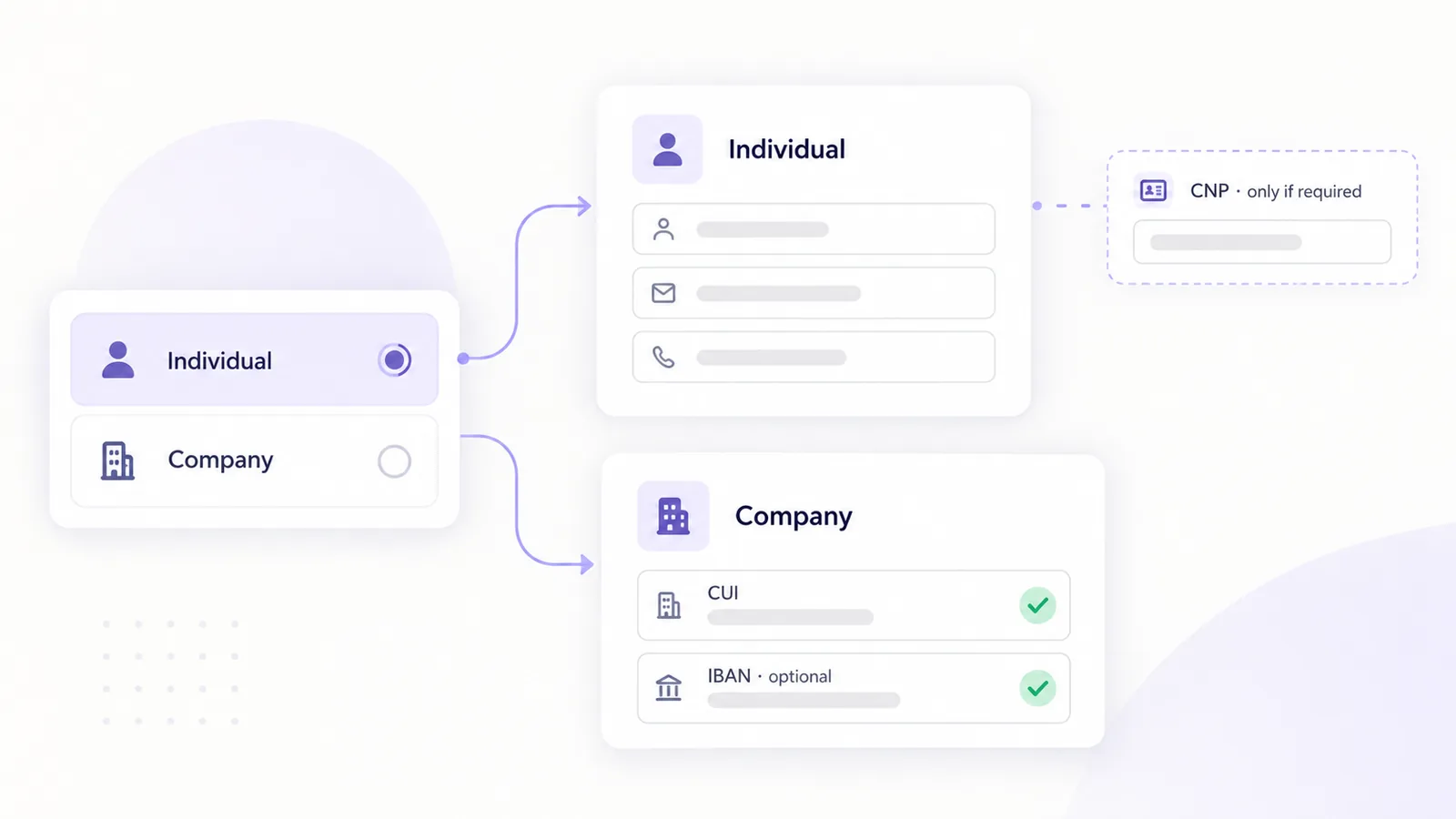
- Company invoice from the tax ID only. The customer enters the tax ID (CUI) and the rest of the details come automatically from ANAF, correct and without typos. We explained how it works in the article on autofilling company details from the CUI, and our free plugin, MaxDev Facturare cu ANAF for WooCommerce, does exactly that. For individual versus company logic, see individual or company checkout in WooCommerce.
- Locker delivery. If you offer lockers, the locker map must be simple to use in checkout. We wrote about locker delivery in checkout.
The thank you page
The confirmation page is the one place where the customer is sure to be paying attention to you, yet many stores leave it empty. Tell them what happens next: when the parcel arrives, how to contact you and what to do if they have a question. The result is more trust and fewer calls to support. This is also a good place to link the review request: send it 7 to 14 days after delivery, not right after the order.
The live audit
At the end we audited a real store live, chosen by an attendee. We went through the same four pages, on desktop and on mobile, and tied each observation to the rules above. One concrete example: the product's benefits (resistance to wind and storms, galvanized pipe structure) were very good, but sat too low on the page. Moved next to the title, they would have been the first thing the customer sees. Out of respect for the owner, we do not name the store.
Quick checklist
- Delivery cost and time are visible on the product page.
- The short description reads in 3 to 5 seconds.
- Benefits are at the top, next to the title.
- Negative reviews get a reply and review schema markup is in place.
- Recommendations use attributes and compatible accessories, not just category.
- The free shipping bar threshold is 20 to 30% above the average order value.
- The cart updates automatically.
- Email is the first checkout field.
- Company invoicing is filled in from the CUI.
- The thank you page says what happens next, and the review request goes out after 7 to 14 days.
If you want someone to go through these points on your store, see how we work in WooCommerce development.
Frequently asked questions
Where did the talk take place?
At WordPress Meetup Bucharest on September 23, at ImpactHub, 8-10 Tudor Arghezi Street.
Can I watch the recording?
Yes, the full recording is on YouTube and embedded in this article. It is in Romanian.
Which change should I start with?
Email as the first checkout field and the free shipping threshold. They are two small changes with a direct effect on abandoned carts and order value.
Can you audit my store too?
Yes. Write to us through the contact page and we will see what can be improved.
About the author
Daniel Răducu Florea is the founder of MaxDev and has worked with WordPress and WooCommerce for more than 7 years.