
A Romanian online store that sells to companies needs more from its checkout than a name and an address: the company name, the CUI (the Romanian tax ID), the trade registry number, sometimes the bank and the IBAN. Customers type them by hand, and a single wrong digit in the CUI means an invoice that has to be corrected or cancelled after the order has shipped.
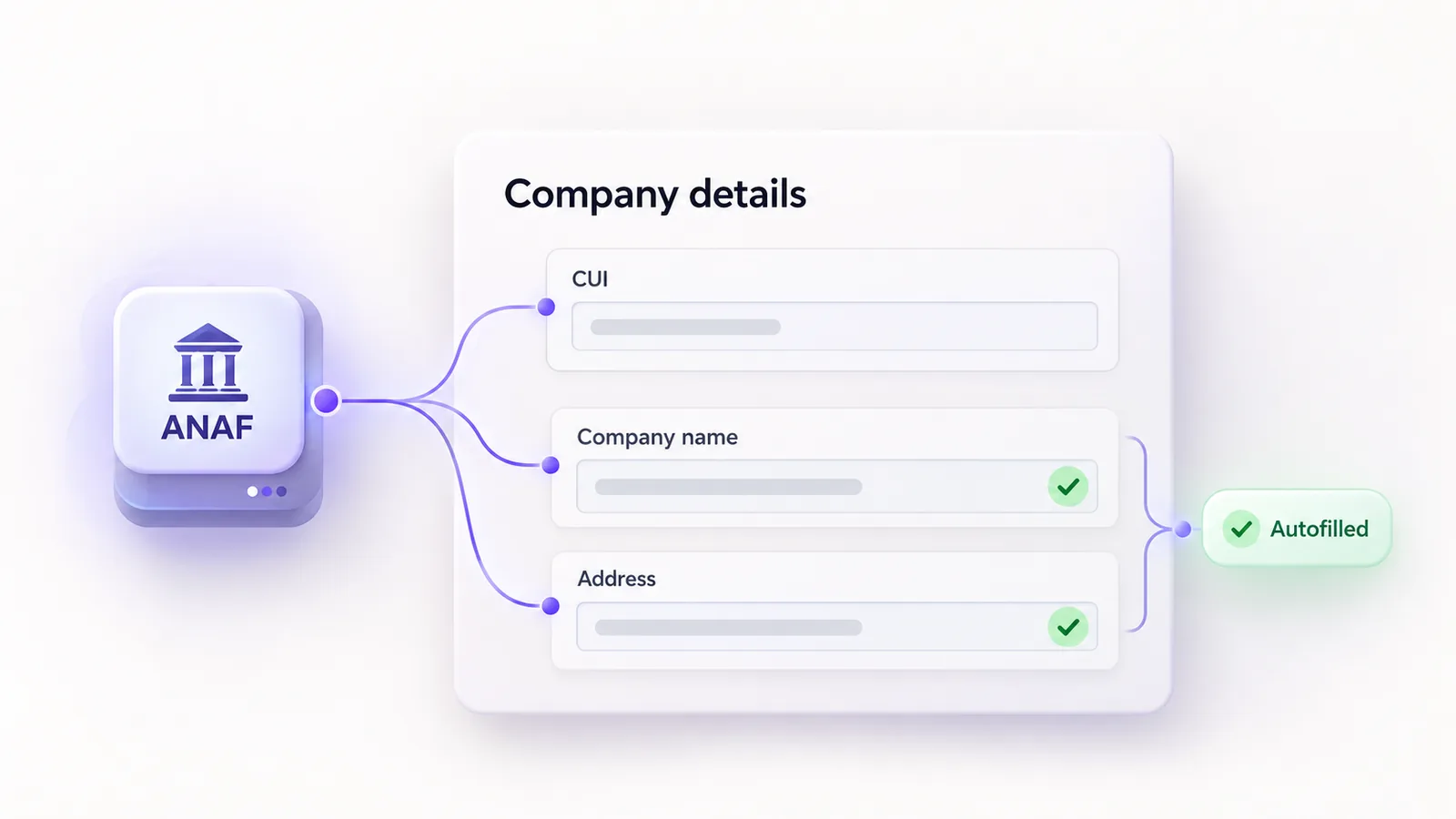
There is a simple fix: once the customer enters the CUI, the store queries ANAF's public API (the Romanian tax authority) and fills in the company details itself. Below we explain how it works, what data is sent to ANAF, how to set it up and what we learned working with this API. We packaged it all in a free plugin, MaxDev Facturare cu ANAF for WooCommerce, available on WordPress.org.
Why company details at checkout matter
A store that sells to both individuals and companies needs two different checkout flows. An individual usually provides only delivery details and, in some situations, a personal ID number (CNP). A company provides its name, CUI/CIF, trade registry number and, optionally, the bank and IBAN.
The problem is not that these fields are missing, but that they get filled in wrong. A CUI with a wrong digit, a company name spelled differently from the registry or an IBAN with an extra letter all end up on the invoice. Local validation catches part of the errors, meaning a CUI or an IBAN with an invalid format. The ANAF lookup removes the rest: the customer no longer types the company details, only confirms them.
How the CUI lookup works
When the customer enters a valid CUI, the store server sends the normalized CUI and the lookup date to ANAF. No lookup happens on ordinary page views, only after a valid CUI. If ANAF responds, the fields available in the response are filled into the form automatically.
You can choose between two modes:
- Direct autofill: the data found appears straight in the form fields.
- Suggestion with confirmation: the customer sees the data found and decides whether to accept it.
If the customer manually edits a field during the lookup, that edit is preserved. Results are cached on the server so the same CUI is not queried repeatedly, and the request timeout can be tuned in the settings. The lookup works in both the classic checkout and Checkout Blocks.
What data goes to ANAF and what does not
Only the normalized CUI and the lookup date are sent to ANAF. The CNP, the customer name, email, address, cart and order details are not sent. As with any server, ANAF receives the IP address of the store server and standard HTTP headers.
The endpoint used to check the CUI/CIF is public and requires no account, API key or authentication.
What happens when ANAF does not respond
The checkout stays usable. The customer can enter the details manually and continue the order. The ANAF lookup is optional and does not block order completion.
Setup in a few steps
- Install and activate WooCommerce.
- Install and activate the MaxDev Facturare cu ANAF for WooCommerce plugin.
- Open WooCommerce, then Facturare cu ANAF.
- Configure the individual and company fields, plus the ANAF settings: visibility and required status of each field, the autofill mode, the timeout and the cache.
- Test the checkout on a staging site before going to production.
The settings also include a tool for testing the connection to ANAF. Requirements are WordPress 6.5 or newer, WooCommerce 8.9 or newer and PHP 7.4 or newer.
What the plugin does not do
The plugin collects and stores billing data, but it does not issue invoices, proformas or e-Factura files. The bank and the IBAN do not come from ANAF either: they remain fields the customer fills in, if you ask for them.
Data is saved in the order metadata through WooCommerce CRUD, and the plugin declares HPOS compatibility. For logged-in customers, the data is also kept in their profile so they do not have to re-enter it on the next order.
Issuing the invoice is a separate step: you do it from your invoicing software or automate it through an API integration that picks up the order data. For the store itself, see our WooCommerce development service.
What we learned working with the ANAF API
We have used ANAF's VAT payer lookup API in several projects. Here are a few details that cost us time:
- The endpoint changed compared to the old documentation. The format in the documentation,
/PlatitorTvaRest/api/v8/ws/tva, consistently answers with a 404. The current one ishttps://webservicesp.anaf.ro/api/PlatitorTvaRest/v9/tva, withapibefore the service name and without/ws/. - A 404 can mean two things. A nonexistent CUI returns a 404 with a JSON body, in the
notFoundlist, while a wrong URL returns a 404 with an HTML body. Decide from the response body, not from the HTTP status, otherwise a URL change looks like a CUI that was not found. - A network error does not mean the CUI was not found. A timeout or an ANAF error must be handled separately from a CUI that does not exist, and an error result must not be cached.
- Registered office and fiscal domicile can differ. The text field
adresacomes from the fiscal domicile. For the registered office address useadresa_sediu_social. - Diacritics come with a cedilla. ANAF returns Ş and Ţ, with a cedilla, not Ș and Ț, with a comma below. Normalize the text if you compare it with other sources.
The plugin covers both checkout types: the classic one and Checkout Blocks, through the Additional Checkout Fields API in WooCommerce 8.9 or newer.
Installation and status
The plugin is free and you can find it on WordPress.org. It is an early version, 0.1.2, so test it on staging first. If you run into problems or have suggestions, use the support forum on the plugin page.
Frequently asked questions
Does the plugin issue invoices?
No. It collects and stores billing data. Issuing the invoice remains the store's responsibility or that of a separate integration.
Does it send the CNP to ANAF?
No. Only the normalized CUI and the lookup date are sent to ANAF.
Do I need an ANAF account or API key?
No. The endpoint for checking the CUI/CIF is public and requires no authentication.
Does it work with Checkout Blocks?
Yes, through the Additional Checkout Fields API in WooCommerce 8.9 or newer. It also works in the classic checkout.
What happens if ANAF is unavailable?
The customer enters the details manually and can continue the order.
Is it compatible with HPOS?
Yes. Order data is saved through WooCommerce CRUD and the plugin declares HPOS compatibility.