An online store that sells to both individuals and companies has a problem the default WooCommerce form does not solve: the two types of customer have to provide different data, and mistakes only show up after the order is placed, when the invoice has already been issued. A mistyped CUI (the Romanian company tax ID), a company name that differs from the trade registry or an IBAN with one extra digit means correction emails, cancelled invoices and wasted time on both sides.
This guide explains which fields are worth asking for at checkout from individuals and from companies, how to validate the CNP, CUI and IBAN before the data reaches the order, and how to avoid the opposite mistake: asking for too much, losing customers at checkout and breaching the data minimisation principle of the GDPR.
In short: from an individual you ask only what you need for delivery and invoicing: name, address, phone, email. You ask for the CNP (the personal ID number) only if a concrete obligation requires it. From a company you ask for the name, CUI/CIF, trade registry number and registered address, while the bank and IBAN are optional. You validate the format on the server and, optionally, confirm the CUI with ANAF.
Why one form is not enough for both customer types
The WooCommerce billing form assumes a single individual buyer: first name, last name, address, phone, email and an optional company name field. For a B2C store that is enough. For a store that also sells to companies, the “Company” field is not sufficient, because an invoice to a Romanian company needs the CUI, the trade registry number and the registered address, and that data has to be correct, not merely present.
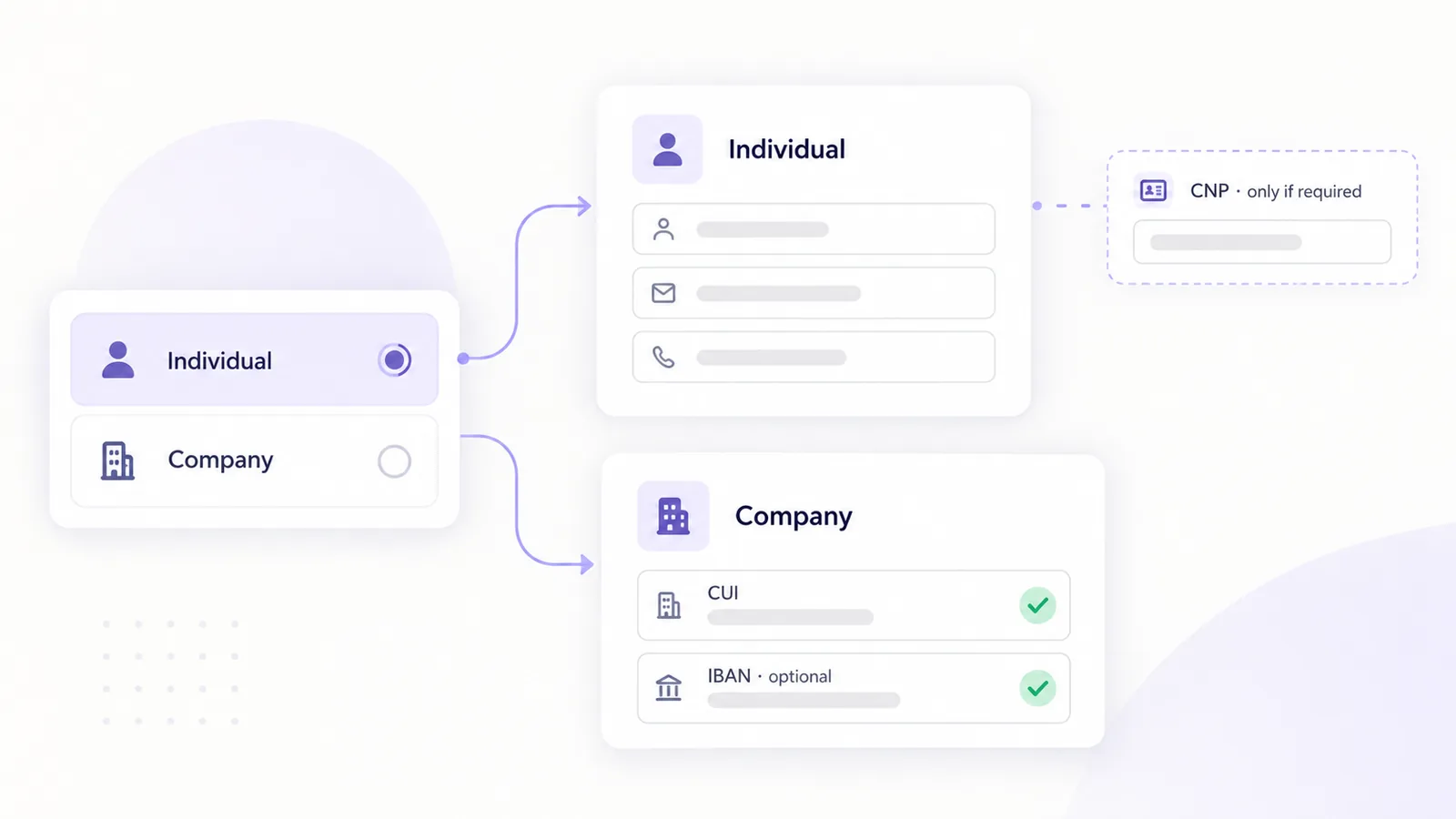
The answer is not to show every field to everyone. An individual who sees fields for a CUI and a registry number wonders whether they are in the right place, and a company that cannot find where to type the CUI either abandons the cart or types it into the company name field. The cleanest option is a selector, “Buying as an individual / Buying as a company”, that shows or hides the right group of fields.
Which fields to ask an individual
For an individual, the minimum set is the one you already have: first and last name, delivery and billing address, a phone number (couriers almost always need it) and an email for the order confirmation. Every extra field lowers the checkout completion rate and increases the amount of personal data you have to protect.
The delicate question is the CNP. For an invoice issued to an individual, the CNP is usually not required, and the GDPR says collected data must be adequate, relevant and limited to what is necessary for the purpose (the data minimisation principle). Ask for it only if a document or a concrete obligation requires it, for example certain warranty or contract types, and check with your accountant before adding the field. If you do ask, explain why, do not make it mandatory for every order and keep it for as short a time as possible.
Which fields to ask a company
A company needs a different set of data, and each item has a role on the invoice:
| Field | Required? | Notes |
|---|---|---|
| Company name | Yes | Exactly as in the trade registry, including the legal form (SRL, SA, PFA) |
| CUI / CIF | Yes | With or without the RO prefix, which shows the company is registered for VAT |
| Trade registry number | Usually | Format J40/1234/2020: the letter J, the county code, the number and the year |
| Registered address | Yes | The invoice address can differ from the delivery address |
| Bank and IBAN | Optional | Useful for refunds or bank transfers, otherwise do not ask |
| Contact person and phone | Yes | For delivery and for questions about the invoice |
In practice a company’s billing address and the address where it wants the goods are often different (a registered office versus a warehouse or a workplace). Keep the two addresses separate, as WooCommerce does by default, and do not force them to match.
How to validate the CNP
The CNP has 13 digits with a fixed structure: the first digit encodes sex and century of birth, followed by the year, month and day of birth (six digits), the county code (two digits), a sequence number (three digits) and a check digit. Local validation checks two things: that the date is a real one and that the check digit matches. The check digit is computed by multiplying the first 12 digits by the constant 279146358279, adding the products and taking the remainder of the division by 11, except that a remainder of 10 gives a check digit of 1.
function valid_cnp( string $cnp ): bool {
    if ( ! preg_match( '/^[1-9]\d{12}$/', $cnp ) ) {
        return false;
    }
    $key = '279146358279';
    $sum = 0;
    for ( $i = 0; $i < 12; $i++ ) {
        $sum += (int) $cnp[ $i ] * (int) $key[ $i ];
    }
    $control = $sum % 11;
    if ( $control === 10 ) {
        $control = 1;
    }
    return $control === (int) $cnp[12];
}
A CNP that passes this check has a valid format, but that does not mean it belongs to the person entering it. Validation protects you from typing errors, not from false data.
How to validate the CUI or CIF
A CUI has between 2 and 10 digits, and the last digit is the check digit. The check uses the key 753217532: you strip the RO prefix if there is one, separate the last digit, pad the rest with zeros on the left up to 9 digits, multiply digit by digit with the key, add the products, multiply the sum by 10 and take the remainder of the division by 11. If the remainder is 10, the correct check digit is 0.
function valid_cui( string $cui ): bool {
    $cui = preg_replace( '/^RO/i', '', trim( $cui ) );
    if ( ! ctype_digit( $cui ) || strlen( $cui ) < 2 || strlen( $cui ) > 10 ) {
        return false;
    }
    $control = (int) substr( $cui, -1 );
    $body    = str_pad( substr( $cui, 0, -1 ), 9, '0', STR_PAD_LEFT );
    $key     = '753217532';
    $sum     = 0;
    for ( $i = 0; $i < 9; $i++ ) {
        $sum += (int) $body[ $i ] * (int) $key[ $i ];
    }
    $rest = ( $sum * 10 ) % 11;
    if ( $rest === 10 ) {
        $rest = 0;
    }
    return $rest === $control;
}
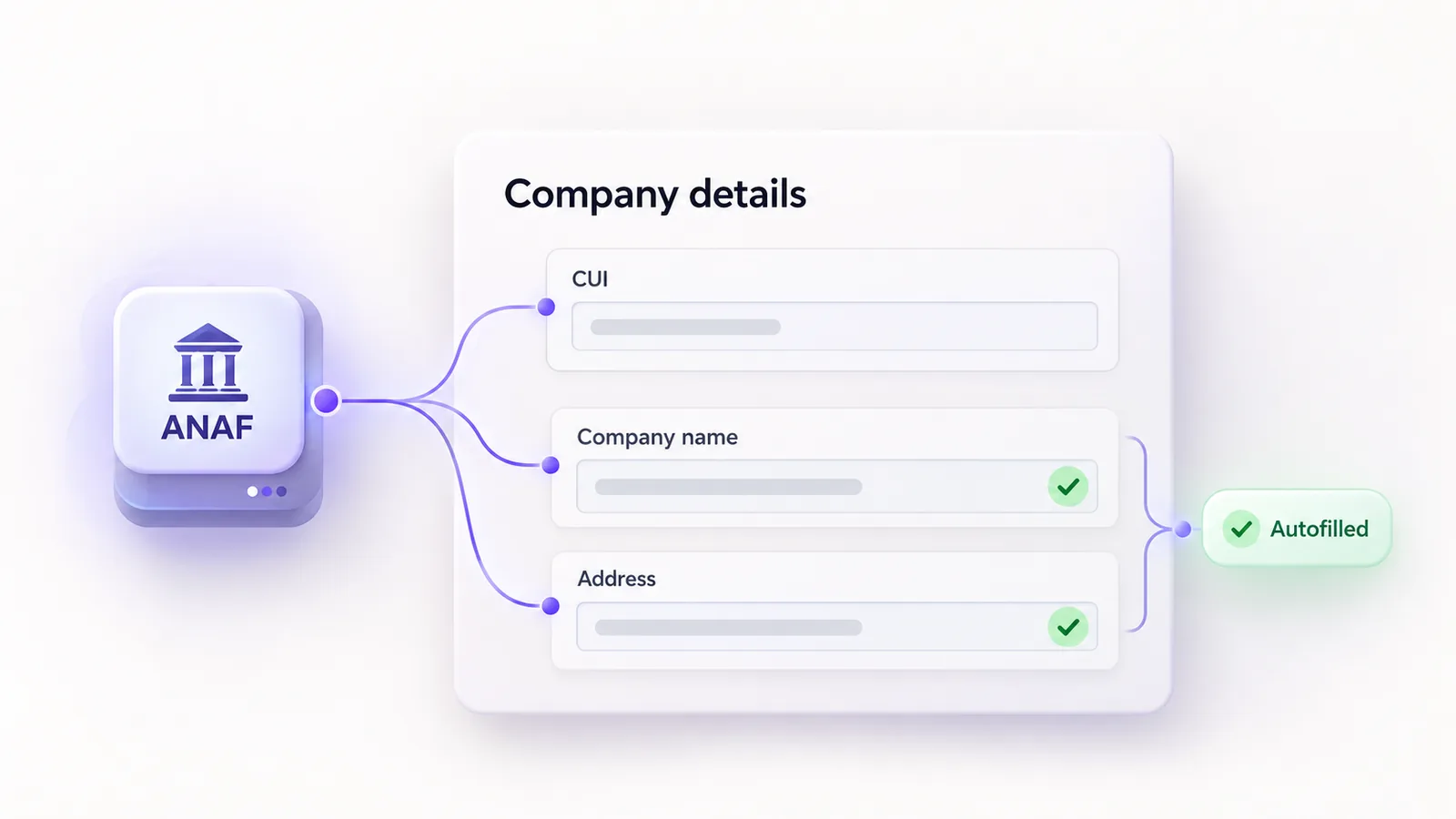
As with the CNP, a CUI that is valid in format may belong to a deregistered or non-existent company. If you want to know that the company exists and what it is called, a lookup in ANAF makes the difference, and autofilling the company details from the CUI solves it right in the checkout.
How to validate the IBAN
A Romanian IBAN has 24 characters: “RO”, two check digits, four letters identifying the bank and 16 alphanumeric characters. Full validation moves the first four characters to the end, replaces letters with numbers (A becomes 10, B becomes 11 and so on up to Z, which becomes 35) and checks whether the resulting number leaves a remainder of 1 when divided by 97.
function valid_iban_ro( string $iban ): bool {
    $iban = strtoupper( preg_replace( '/\s+/', '', $iban ) );
    if ( ! preg_match( '/^RO\d{2}[A-Z]{4}[A-Z0-9]{16}$/', $iban ) ) {
        return false;
    }
    $moved  = substr( $iban, 4 ) . substr( $iban, 0, 4 );
    $number = '';
    foreach ( str_split( $moved ) as $ch ) {
        $number .= ctype_alpha( $ch ) ? (string) ( ord( $ch ) - 55 ) : $ch;
    }
    $rest = 0;
    foreach ( str_split( $number, 7 ) as $chunk ) {
        $rest = (int) ( $rest . $chunk ) % 97;
    }
    return 1 === $rest;
}
Accept the IBAN with spaces, because that is how people copy it from their banking app, and normalise it before saving.
Browser and server validation
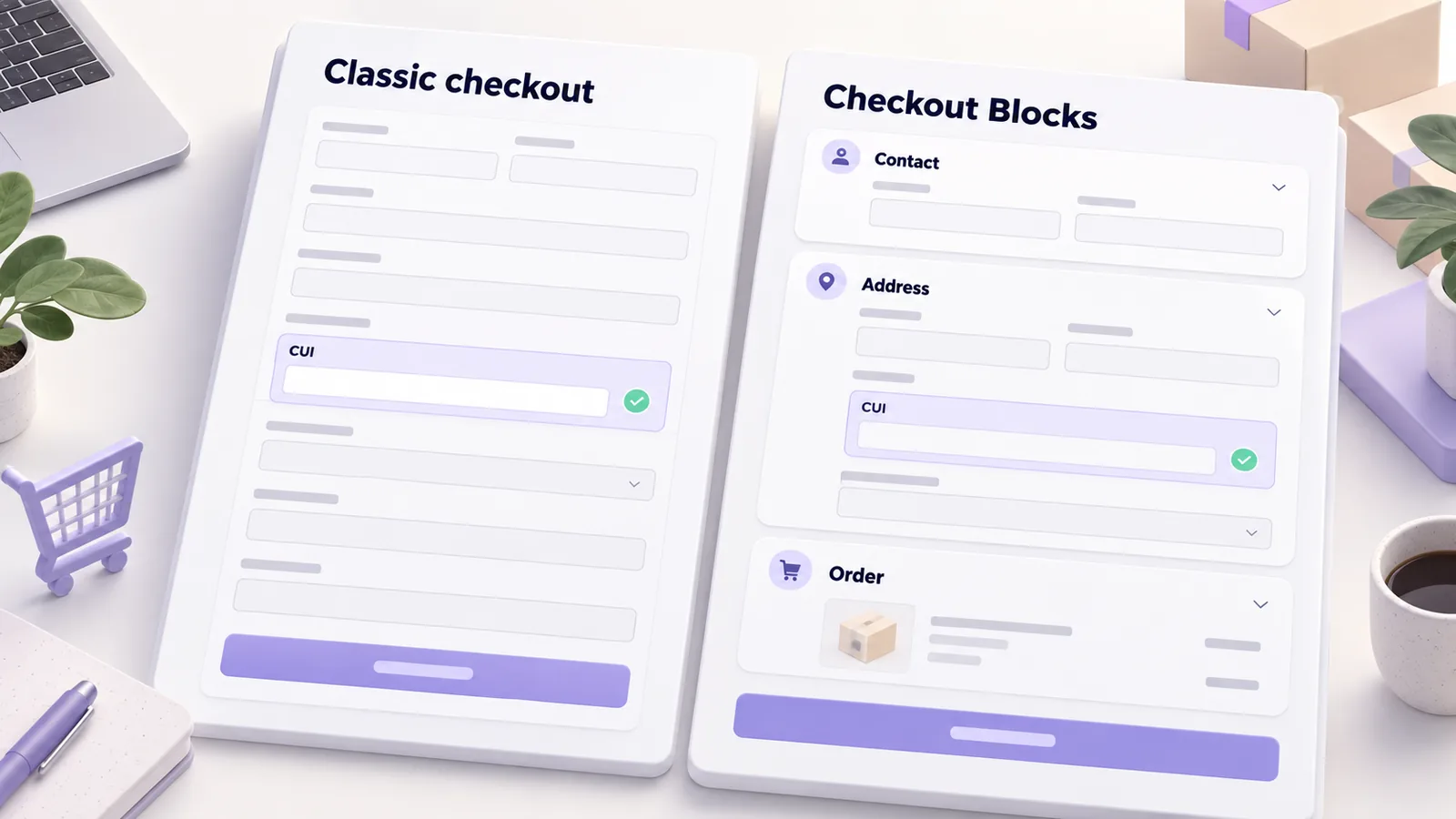
Browser (JavaScript) validation shows the customer the mistake immediately, without submitting the form, and improves the experience. But it has no security value: anyone can bypass it. The validation that matters runs on the server, when the order is placed. In the classic checkout the right place is the woocommerce_after_checkout_validation hook, where you add an error on the wrong field and the order is not created. The block-based checkout works differently, and the differences are explained in the guide on Checkout Blocks versus classic checkout.
How to build the form so you do not lose orders
A few simple rules keep abandonment under control. Start with “individual” selected, because most customers are there. Show the company fields only when the customer chooses “company”. Put the error message next to the wrong field and say what is wrong (“the CUI check digit is incorrect”), not just “invalid data”. Use inputmode="numeric" on numeric fields so phones open the numeric keyboard, and the right autocomplete attributes so the browser can fill in the address. If you want a starting point for the rest of the checkout, the ecommerce UX checklist covers this area too.
Common mistakes
- Asking every customer for the CNP. You collect sensitive data for no reason, and some customers leave.
- Validating only in JavaScript. It is easy to bypass, and wrong data reaches the order anyway.
- Rejecting a CUI with the RO prefix. Many customers type it with the prefix, so strip it before calculating.
- Forcing the billing address to be the delivery address. For companies they are often different.
- Generic error messages. The customer does not know what to fix and gives up.
- Not saving the customer type on the order. Your invoicing software no longer knows how to treat the order.
Frequently asked questions
Do I have to ask individuals for their CNP?
Usually not. Ask for it only if a concrete obligation requires it, and confirm with your accountant. Otherwise you breach the GDPR data minimisation principle and risk losing customers.
How do I validate a CUI that starts with RO?
Strip the RO prefix before calculating. The prefix shows that the company is registered for VAT, but the check digit is computed on the digits only.
Is local CUI validation enough?
Local validation catches typing errors but does not show whether the company exists. For that you need an ANAF lookup, which can also fill in the name and address.
Can I ask for the IBAN at checkout?
You can, as an optional field for companies. You only need it if you handle refunds or bank transfers.
Where is billing data stored in WooCommerce?
In the order metadata. A well-built plugin saves it through the WooCommerce API, so it stays compatible with order storage in dedicated tables (HPOS).
If you want us to build a checkout adapted to your customers, see how we work on WooCommerce development, or write to us about an integration with your invoicing software.