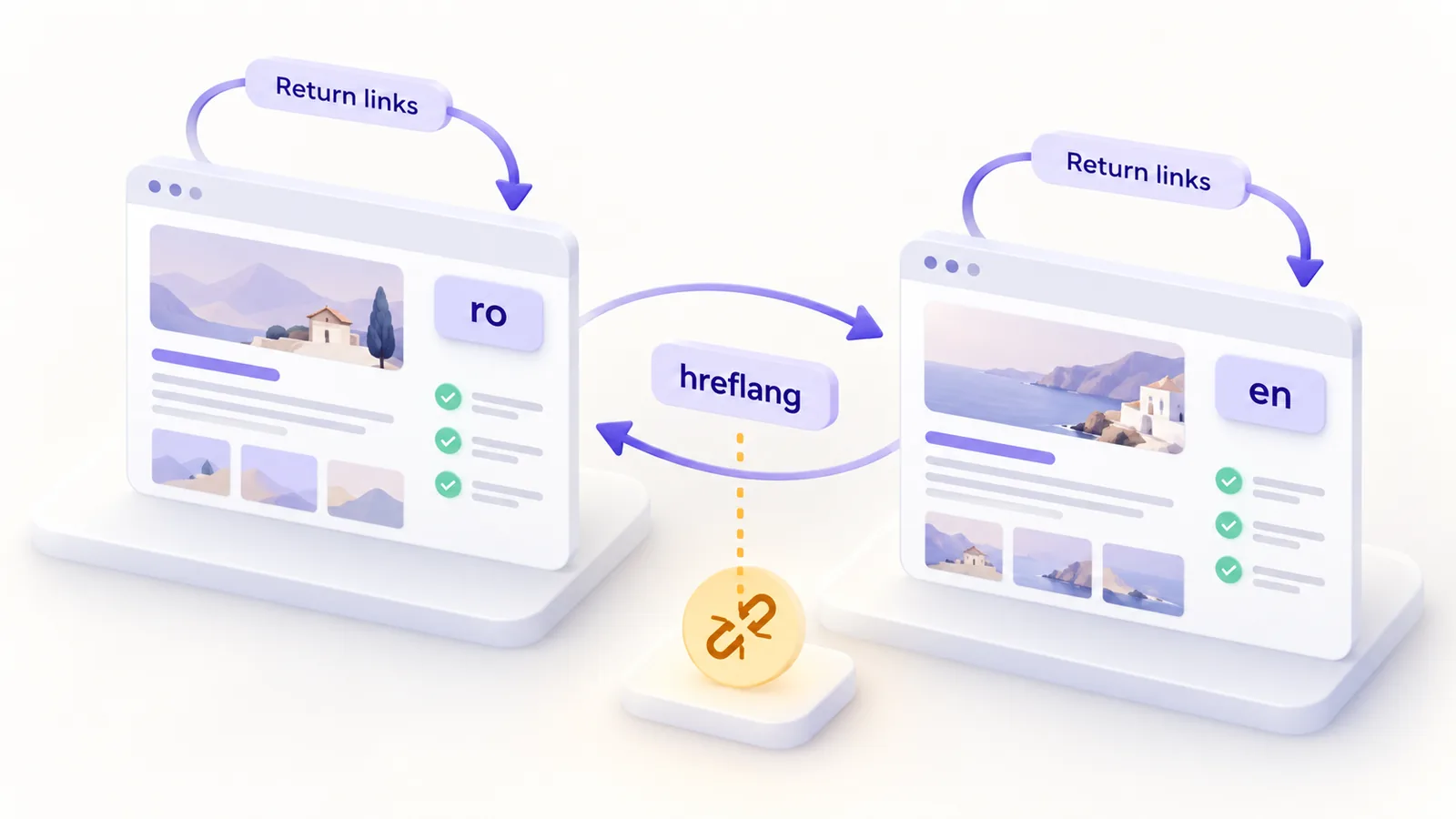
A bilingual site has a problem a single-language site does not: Google has to understand that two near-identical pages, one in Romanian and one in English, are versions of the same content and not two competing pages. The hreflang attribute tells it exactly that. When it is set up correctly, a user in Romania sees the Romanian page in the results, and a user elsewhere sees the English one. When it is set up wrongly, Google ignores it, and results can show the wrong version or treat the pages as duplicates.
This guide lists the 10 most common hreflang mistakes on an RO/EN site, how to spot them and how to fix them. We use it on our own site, where every page has a counterpart in the other language, and the final section shows how we generate it automatically.
In short: hreflang is a reciprocal link between the versions of a page. Each version must list all versions, including itself, with absolute URLs, valid language codes and only pointing to indexable pages that return 200. Choose one main method (HTML, HTTP header or sitemap) and keep it consistent.
What hreflang does and does not do
Hreflang is not a ranking factor. It does not improve your position; it helps Google choose which version of a page to show a given user. If you have a site with Romanian and English content and you do not use it, you do not get a penalty, but you risk the search engine showing a version that does not suit the user or treating the two pages as duplicates. A wrong implementation is sometimes worse than none, because it sends contradictory signals.
What correct hreflang looks like
You put one line in the <head> of every page for each version, plus one for x-default, the fallback page for users who match none of the declared languages. The example below is from our ERP integration page:
<link rel="alternate" hreflang="ro" href="https://maxdev.ro/servicii/integrare-erp/">
<link rel="alternate" hreflang="en" href="https://maxdev.ro/en/services/erp-integration/">
<link rel="alternate" hreflang="x-default" href="https://maxdev.ro/servicii/integrare-erp/">
The same three lines appear on the English page. That symmetry is the essence of hreflang: each page lists its own versions, and so does its counterpart.
The 10 most common mistakes
- No return links. The Romanian page points to the English one, but the English one does not point back. Google needs confirmation from both sides, so a one-way link is ignored.
- No self-reference. Every page must list itself as well, not only the other version.
- Relative or protocol-less URLs. Values must be complete, with
https://and the domain, not/en/services/or//maxdev.ro/.... - Wrong language or country codes.
roandenare valid, and so areen-GBorro-RO, butROalone is not a language code, anden-UKis wrong (the correct one isen-GB). The language comes first, the region after it. - Pointing to pages that are not indexable. A hreflang that leads to a page with a redirect, a 404 error or
noindexis ignored. - Canonical pointing to another language. If the English page has a canonical pointing to the Romanian one, you tell Google the English version does not matter, while hreflang says the opposite. Each version is its own canonical.
- Missing x-default, or set at random. Choose the fallback page deliberately. We chose the Romanian version.
- HTML and sitemap that disagree. If you use both methods, they must say exactly the same thing. Two sources that contradict each other produce the ambiguous signal you want to avoid.
- Automatic redirects by IP or browser language. Googlebot does not travel, and a forced redirect hides one of the versions. Offer a language switcher and let the user choose.
- A language switcher that goes to the home page instead of the equivalent. A user who clicks EN on an article lands on the homepage, and the hreflang link no longer matches the site’s behaviour. The switcher must lead to the exact counterpart page.
Three more discreet situations: partial translations (hreflang to a page that does not yet exist in the other language), differences between http and https or between with and without a trailing slash across the two versions of the same URL, and hreflang placed on filtered or paginated pages, which should follow their own logic.
Which method to choose: HTML, HTTP header or sitemap
There are three places where you can declare hreflang. In HTML, in the <head>, it is the easiest to check visually and suits most sites. In the HTTP header it is useful for non-HTML files such as PDFs. In the sitemap it is convenient for large sites, where you add one block per URL instead of editing every page. One is enough. If you use several, generate them from the same source so they cannot contradict each other.
How to automate it
On a WordPress site, a multilingual plugin (WPML, Polylang, TranslatePress) usually generates hreflang for you. But do not trust it blindly: after installing it, open a few pages, look at the source code and check the symmetry. If you have custom themes or plugins, an audit from a WordPress development team is worth it.
On a static site like ours, you need a single source of truth: a mapping file between the Romanian pages and the English ones. From it you generate the language switcher, the hreflang lines and the sitemap blocks, so they cannot come out different. Two rules we follow: hreflang appears only when both versions exist as real files, and a page without a counterpart sends the switcher to the language root, not to a non-existent page. For a new site built from scratch, put this mapping in place from day one.
How to check
- The source code. Open the page, view the source and search for
hreflang. Check the symmetry with the counterpart page. - A crawler. Tools such as Screaming Frog have a dedicated hreflang report that shows missing links, contradictory canonicals and pages with errors.
- URL Inspection in Search Console. It shows the canonical Google sees. There is no longer a dedicated hreflang error report, so verification needs tools of your own.
- A periodic check. After every new or moved page, hreflang can break, especially with sitemaps generated by hand.
For a complete assessment of your site, a technical SEO audit covers hreflang, canonicals, indexing and loading speed in a single report.
Final checklist
- Every page has a counterpart in the other language, not just the main pages.
- Every page lists all versions, including itself, plus x-default.
- All URLs are absolute, with
httpsand the same trailing slash format. - All of them return 200, have no
noindexand do not redirect. - Each version has its own canonical.
- The sitemap and the HTML say the same thing.
- The language switcher leads to the counterpart, not to the homepage.
- There is no automatic redirect by language or IP.
Frequently asked questions
Does hreflang improve my Google ranking?
Not directly. It helps Google show the user the right version, which reduces confusion and duplicates, but it is not a ranking factor.
If I translate only part of the site, what do I do with the rest?
Add hreflang only on pages that have a counterpart. For the rest you add nothing, and the language switcher sends users to the main page of that language.
What do I put in x-default?
The page you want users who match none of the declared languages to see, usually the main version or a language selection page. What matters is that it is a deliberate choice.
Subdirectory, subdomain or separate domains for languages?
For most company sites, a subdirectory (like /en/) is the simplest to maintain, and hreflang works the same in all variants. Choose according to how you organise your team and infrastructure, not according to an SEO myth.
How do I know whether my hreflang is broken?
Run a crawler on the site and look for missing links, pages with 404 or noindex and canonicals that contradict the hreflang. If the wrong version shows up in results, that is a sign something is off.
If you want us to check the indexing of a bilingual site together, describe your situation and we will come back with what we find.